If you are looking for more information about Xiaomi Black Shark 4, check our website:
https://www.hardreset.info/devices/xiaomi/xiaomi-black-shark-4/
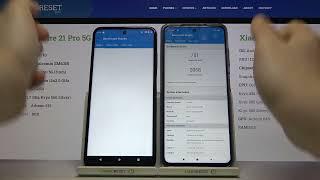
Hi there! Have you ever been wondering about Xiaomi Black Shark 4 performance possibilities? If you've been, then you should check out our new video! In today's video we're going to try to run some top mobile benchmark program Sling Shot by 3DMark on Xiaomi Black Shark 4 in order to make a performance test of this smartphone. This video might be useful in case if you wish to buy yourself a new Xiaomi Black Shark 4, and wish to see how well it will perform in different conditions. So in a case like that, all you need to do is just watch this short video to the end, and find out for yourself if Xiaomi Black Shark 4 fits your gaming needs. If you find this tutorial useful, don’t forget to hit that like button, leave a comment and subscribe to our channel. Thanks for watching our video!
How to use AnTuTu Benchmark in Xiaomi Black Shark 4? How to check Performance by Xiaomi Black Shark 4? How to check performance by 3DMark sling shot extreme test of Android device? How to activate Wild Life 3DMark Benchmark on Xiaomi Black Shark 4? How to use Geekbench 5 GPU OpenCL Benchmark in Xiaomi Black Shark 4? How fast is Xiaomi Black Shark 4? How to test by Geekbench GPU Vulkan Benchmark Xiaomi Black Shark 4? How to perform benchmark in Xiaomi Black Shark 4? How to check storage speed in Xiaomi Black Shark 4? How to perform HTML5 TEST in Xiaomi Black Shark 4?
#Benchmark #3DMark #xiaomiblackshark4
Follow us on Instagram ► https://www.instagram.com/hardreset.info
Like us on Facebook ► https://www.facebook.com/hardresetinfo/
Tweet us on Twitter ► https://twitter.com/HardResetI
Support us on TikTok ► https://www.tiktok.com/@hardreset.info
Use Reset Guides for many popular Apps ► https://www.hardreset.info/apps/apps/