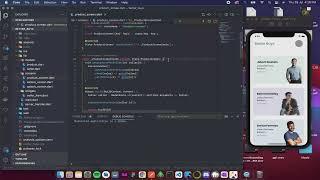
Flutter tutorial for beginners showing you how to open a drawer in Flutter and giving you tips on how to design an application that users really like. This will help you as you continue on your journey to creating mobile and web based applications. The IDE used is Visual Studio Code. This Tutorial is for beginners.
Flutter Install Link: https://docs.flutter.dev/get-started/install
Flutter is Google's portable UI toolkit for crafting beautiful, natively compiled applications for mobile, web, and desktop from a single codebase. Flutter works with existing code, is used by developers and organizations around the world, and is free and open source.
#flutter #tutorial #shorts
Social Links:
Twitch: https://www.twitch.tv/mufungogeeks
Facebook: https://www.facebook.com/MufungoGeeks
Instagram: https://www.instagram.com/mufungo_geeks/
Quora: https://www.quora.com/q/mufungogeekslearningspace
Fiverr: https://www.fiverr.com/share/rp4wAr
Mufungo Mobile Apps:
Football App - https://play.google.com/store/apps/details?id=com.mufungogeeks.masports
Coding Snippets - https://play.google.com/store/apps/details?id=com.mufungogeeks.itsybitsycode&hl=en&gl=US
Health App - https://play.google.com/store/apps/details?id=com.mufungogeeks.upenyu.android
Devotional App - https://play.google.com/store/apps/details?id=com.mufungogeeks.hissword
Poetry App - https://play.google.com/store/apps/details?id=com.practicalcode.poeticherald
Math App - https://play.google.com/store/apps/details?id=com.mrmath
About Mufungo:
Mufungo Geeks focuses on creative content in computer programming. Main topics of consideration are Javascript, Java, C#, Python, NodeJs, React, Redux, Typescript, CSS and frameworks like React Native and Flutter. Get Started with React Native Crash Course and learn how to build an iOS and Android app with different components.