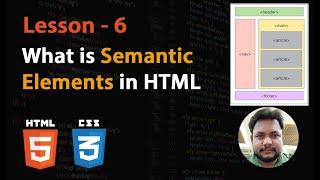
Semantic HTML Tags | HTML5 Semantic Elements Tutorial || semantic tags in html - 07
Learn how to use Semantic HTML tags in this full tutorial. HTML5 semantic elements convey both meaning and structure for our web pages.
what is semantic tags in html || semantic tags in html || why we need to semantic tags in html - 07
Semantic HTML refers to the use of HTML elements that accurately describe the
content they contain. This means using elements such
as header, nav, main, article, section, aside, and footer
to clearly define the purpose and structure of the content on a webpage.
Using semantic HTML can make it easier for search engines to understand
the content on a webpage, and also make it easier for screen readers
and other assistive technologies to navigate the page.
For example, instead of using a div element to create a header,
you can use the header element, which clearly indicates that
the contained content is a header. Similarly, instead of using
a div element to create a section of content, you can use
the section element, which clearly indicates that the contained
content is a section of related information.
Here is a list of common semantic HTML tags
header: Defines the header of a document or section.
nav: Defines navigation links.
main: Defines the main content of a document.
article: Defines a self-contained piece of content, such as a blog post.
section: Defines a section of a document.
aside: Defines content that is related to the main content, but can be considered separate.
footer: Defines the footer of a document or section.
figure: Defines a piece of self-contained content, such as an image or video, along with its caption.
figcaption: Defines a caption for a element.
mark: Defines marked/highlighted text.
time: Defines a date and/or time.
Using semantic elements can make your HTML more readable and easier to understand, and it also helps search engines and assistive technologies understand the structure of your content.