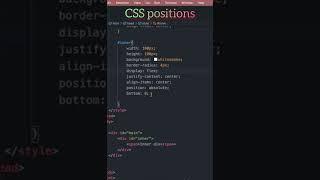
In this session we learn about CSS Position Property for positioning any HTML elements anywhere we want in web page. On CSS position property there are static, relative, fixed, absolute and sticky values. By using these various values for CSS position property we can position any HTML Elements as per our requirement.
The CSS position property specifies the type of positioning method used for an element. HTML elements that are applied CSS position property can able to use Top, Bottom, Left and Right properties to give the required position of it. Unless adding this CSS position property these top, bottom, left and right properties will not works.
Each HTML elements has default CSS position property i.e. Static CSS position property. But while on this static position property top, bottom, left and right properties will not be works. This Static CSS position property always positioned according to the normal flow of the page.
Except Static default CSS position property all other values relative, fixed, absolute and sticky will effected by the top, bottom, left and right property. But the values started of counting for positioning any HTML element will be different for each CSS position property value. Like on relative value it will positioned according to its normal position but for fixed CSS position property it will positioned according to view-port.
So in this video we have well explained and live demo of each values of CSS position property for better understanding.
#CSS
#Position
#Property
You May Also Interested On:
-----------------------------------------------------------------
CSS Display Property - Block, Inline, Inline-Block & None Session 11
https://youtu.be/UXiYu7FfxnI
CSS Box Model - Design Your Web Layout Session 10
https://youtu.be/74FC3jM8cSA
Opacity In CSS - Transparent Background CSS Session 9
https://youtu.be/YR2ZxjqUDPw
CSS Background Color Image Size Position Properties Session 8
https://youtu.be/i-vdiWhTphU
Text Formatting CSS Properties Session 4
https://youtu.be/zXbY_ew6fMQ
Various Text Menu Hover Effects in CSS Session 3
https://youtu.be/JAXtkRUi5pg
Pseudo Classes CSS - Styling Link States Session 2
https://youtu.be/7eiidLaS3JA
CSS Tutorial for Beginners - Introduction to CSS 3 Session 1
https://youtu.be/j7_0zE5nWpY
Learn HTML5 Complete Course In Just 2 Hours - HTML Tutorial For Beginners
https://youtu.be/vGVokapxhaM
Connect With Us Through:
-------------------------------------------------------
Like Us on facebook Page: https://www.facebook.com/tutorpratik
Join Us on Facebook Group: https://www.facebook.com/groups/freeonlinecomputertraining
Follow Me On Instagram: https://www.instagram.com/tutorpratik
Follow Me On Twitter: https://twitter.com/TutorPratik