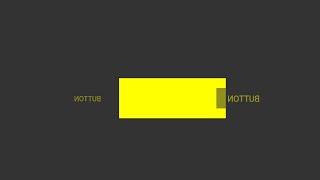
Impress Your Users with Creative Button Hover Effects Using CSS Clip-Path #html5 #css3 #frontend
video link:https://youtu.be/QgfPgieFPbM
In this video tutorial, we will explore the power of clip-path and how to use it to create stunning button hover effects in CSS. We will start by reviewing the basics of HTML and CSS, including how to structure and style web pages. Then, we will dive into the clip-path property and how it works, including how to create various shapes using different clip-path values.
Next, we will demonstrate how to create simple button hover effects using clip-path. We will show you how to use clip-path to create circles, triangles, and other shapes to enhance the visual appeal of your buttons. We will also show you how to use CSS transitions and animations to add smooth hover effects to your buttons.
After that, we will move on to more complex button hover effects using clip-path. We will show you how to create unique and creative shapes to add a wow factor to your buttons. We will use different clip-path values, such as polygon, inset, and ellipse, to create these effects.
Finally, we will provide you with a step-by-step guide on how to implement these CSS clip-path button hover effects in your own projects. You will learn how to create HTML and CSS code to create these effects and how to customize them to fit your design needs.
By the end of this video tutorial, you will have a solid understanding of how to use clip-path to create amazing button hover effects in CSS. You will be able to use these techniques to enhance the visual appeal of your web pages and make your buttons stand out.
HTML, or Hypertext Markup Language, is the standard language used to create web pages. It is used to structure content and define how it should be displayed on a web page. HTML consists of a series of elements, each with its own properties and attributes. These elements can be used to create headings, paragraphs, images, links, forms, and more.
CSS, or Cascading Style Sheets, is a stylesheet language used to describe the presentation of a web page. It is used to add colors, fonts, layouts, and other visual elements to the HTML content. CSS separates the presentation from the content, which allows web developers to create consistent designs across multiple pages.
Clip-path is a CSS property that allows you to create complex shapes by clipping an element to a polygon, circle, or other geometric shape. It is used to create unique and creative designs on web pages. By using clip-path, you can create shapes that are not possible with traditional HTML and CSS techniques.another geometric shape