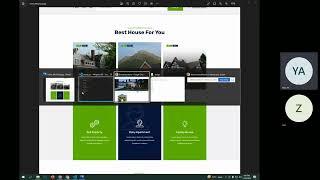
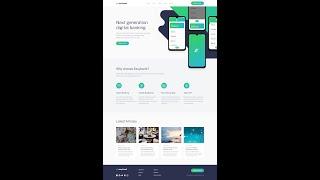
How to make a complete website with Bootstrap CSS. Make a responsive landing page using the most popular front end framework and learn how to use the grid system to make responsive layouts
What you will learn:
How to-
- Make a full front page with Bootstrap
- Make a working navbar and customize its layout
- Make the navbar change colors on scroll with Javascript
- Build Awesome layouts with Bootstraps grid system
- Add minor custom CSS adjustments to make the page even better
- Add Bootstrap components, such as cards, buttons, pills, forms and make some of your own
- Build a responsive footer
Bootstrap 5:
https://getbootstrap.com
Images Used:
https://unsplash.com/photos/w3eFhqXjkZE
https://unsplash.com/photos/PhYq704ffdA
https://unsplash.com/photos/aWf7mjwwJJo
https://unsplash.com/photos/hpjSkU2UYSU
https://unsplash.com/photos/5fNmWej4tAA
Font Awesome Icons:
https://fontawesome.com
Don't hesitate to ask for help if you face any trouble re-creating a project from any of my videos. I will gladly help :)
Get The Source Code From All Of My Videos:
https://www.buymeacoffee.com/webcode/posts
Follow me on Instagram:
https://www.instagram.com/quickcodingtuts/
My Products:
https://www.buymeacoffee.com/webcode/extras
Support Me To Keep Creating And Improving My Content:
https://paypal.me/quickcodingtuts?locale.x=en_US
Tags:
#bootstrap
#website
#css