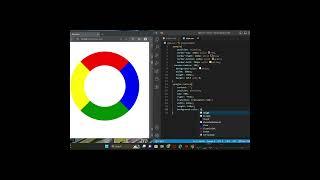
Creating a Google logo using CSS and HTML is a great way to showcase your skills in web development. By using a div container, you have effectively organized and structured the logo in a way that is both visually appealing and easy to modify.
Using CSS and HTML to create a logo allows for a high degree of customization and flexibility, giving you complete control over the design elements such as colors, fonts, and shapes. By using a div container, you can easily manipulate and modify the logo's properties, such as size and position, without having to modify the underlying code.
In addition to being a great way to showcase your skills, creating a logo with CSS and HTML can also be a fun and rewarding experience. It provides an opportunity to experiment with different design ideas and techniques, as well as to explore the capabilities and limitations of these two powerful web development tools.
Overall, creating a Google logo with CSS and HTML and using a div container for it is an impressive feat that demonstrates your proficiency in web development and design. It is also a great example of how these tools can be used to create visually stunning and functional websites and applications.
About:
#css #html #csstricks #frontend #logo #visualstudio #bootstrap #code #coding #html5 #css3 #tricks #shorts #tutorial #css #csstutorials #htmltutorial #design #website #web #webdevelopment #webdesign #development #webdeveloper #framework #csstutorial #myfrontend #webdesign #web3 #htmltricks #php #sql #backenddeveloper #developer #development #design #google #googlelogo #googledeveloper #googledevelopers #logodesign #logodesigner #logos